

Download Windows 7 Visual Themes Pack – free, secure, easy‑to‑install Windows 7 theme collection
Overview
If you have just installed a fresh copy of Windows 7 and are looking for a quick way to give your desktop a fresh personality, the Windows 7 Visual Themes Pack is exactly what you need. This free pack bundles a dozen high‑quality themepack files that can be applied with a single double‑click, instantly changing the colors, wallpapers, window borders, and icons across the entire operating system. Because the themes are delivered as standard Windows 7 .themepack files, there is no need for third‑party skinning engines or registry hacks—just extract the ZIP archive, pick the theme you like, and watch the transformation happen.
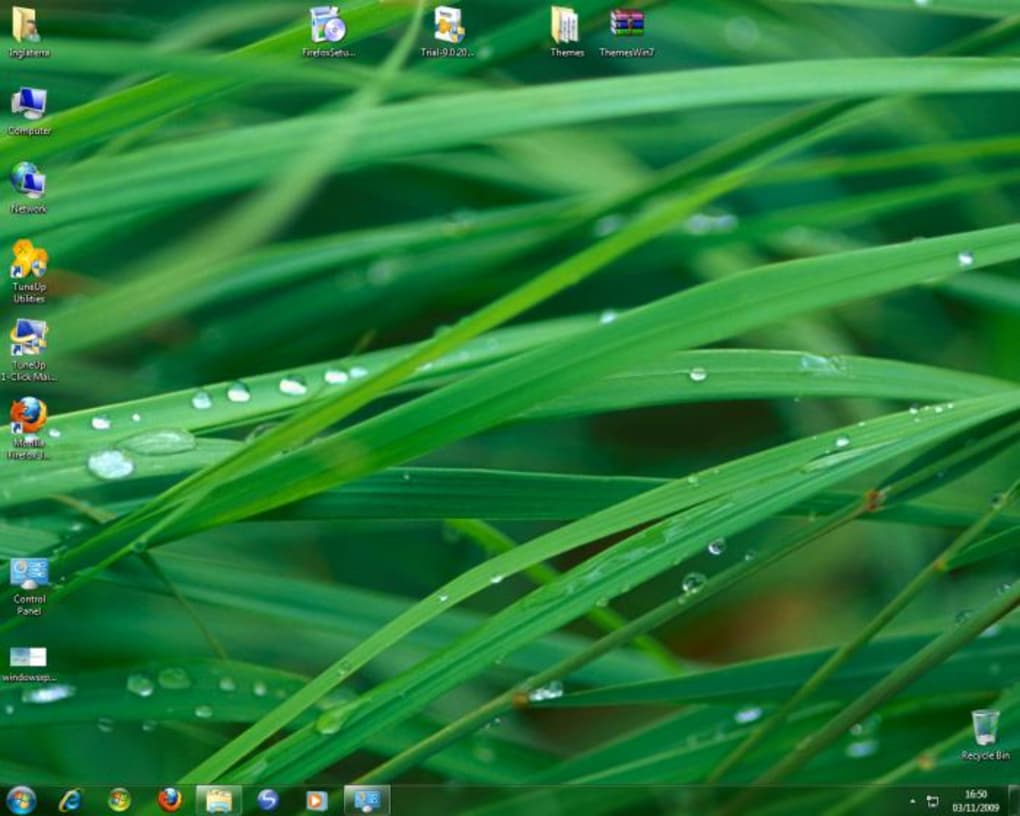
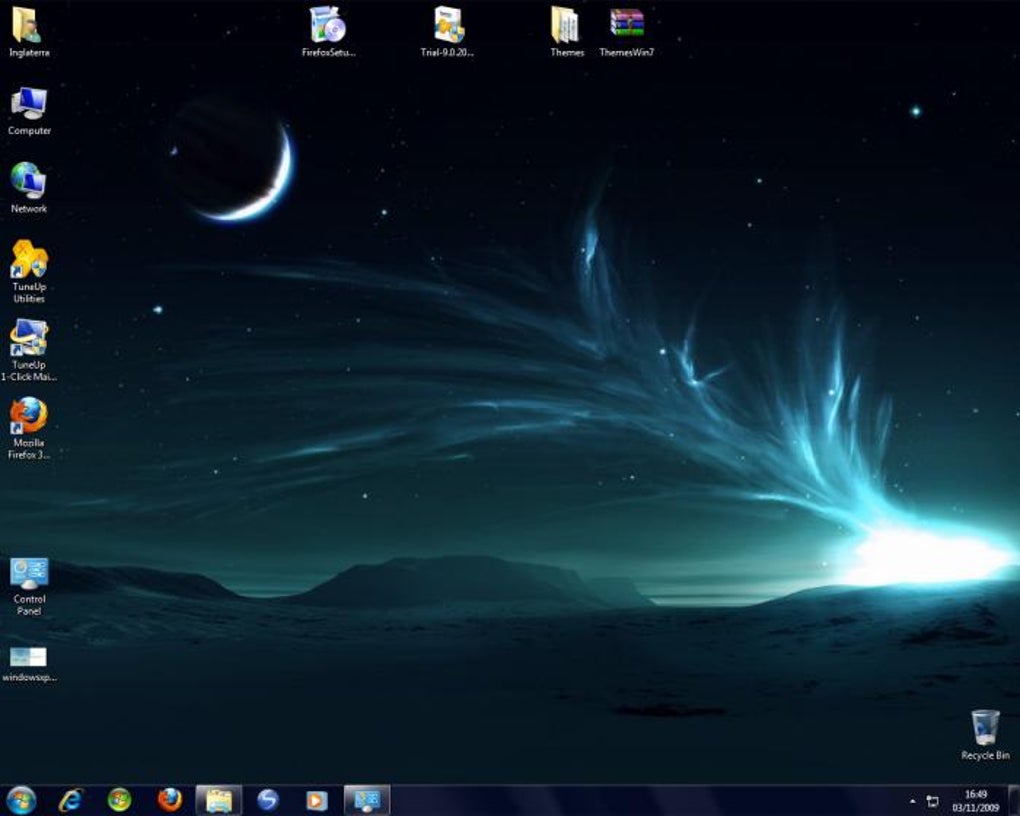
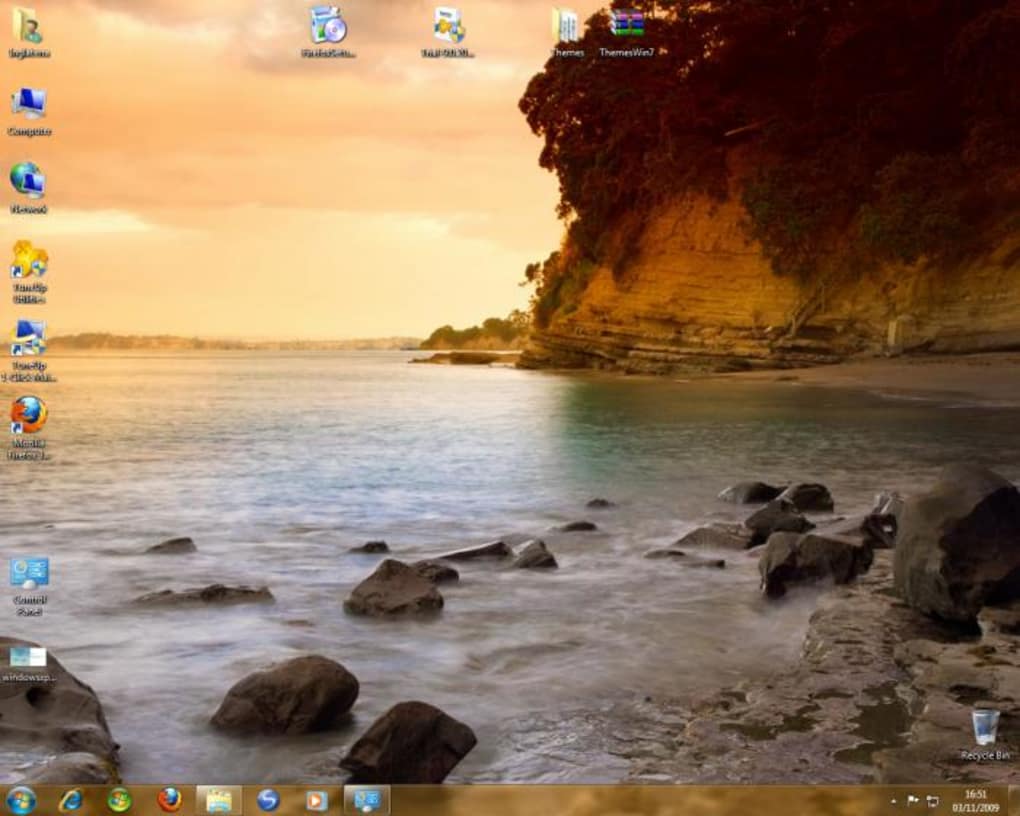
Beyond pure aesthetics, the pack is designed with stability in mind. Each theme adheres to Microsoft’s own theming guidelines, meaning you won’t encounter the crashes or performance slowdowns that sometimes plague unofficial skin packs. The collection includes a variety of styles—from sleek, dark‑mode inspired palettes to bright, nature‑themed layouts—so you can switch moods whenever you like without leaving your desktop. Whether you’re a developer who prefers a minimal, distraction‑free workspace or a creative professional who enjoys vibrant backgrounds, there’s a theme that matches your workflow.
Because the themes are free and distributed via a simple ZIP file, you can download them from the official site or trusted repositories without worrying about hidden fees or malware. The pack also receives periodic updates to stay compatible with the latest Windows 7 Service Packs, ensuring that your visual experience remains smooth even after Microsoft releases security patches.
Key Features of Windows 7 Visual Themes Pack
- Dozen distinct themes covering a broad spectrum of visual styles, from minimalist dark themes to vibrant nature‑inspired designs.
- One‑click installation – just double‑click a .themepack file and the theme is applied instantly.
- Native Windows 7 compatibility – no third‑party skinning tools required, ensuring stability and performance.
- High‑resolution wallpapers (up to 1920×1080) included in each theme for crisp, eye‑pleasing backgrounds.
- Low system impact – themes are lightweight and do not consume additional RAM or CPU cycles.
- Free and safe – distributed under a permissive license, with no hidden fees or adware.
- Regular updates – the author releases new themes and bug‑fixes to keep the pack current with Windows 7 updates.
- Cross‑style flexibility – includes themes inspired by macOS aesthetics for users who love a hybrid look.
- Easy backup & restore – each theme can be exported and re‑imported, allowing you to keep your favorite look across system reinstalls.
- Comprehensive documentation – includes a short README with troubleshooting tips and customization ideas.
All of these features are designed to make personalizing Windows 7 as painless as possible. The pack’s modular nature means you can mix‑and‑match elements—using the wallpaper from one theme and the color scheme from another—by simply copying individual assets into the appropriate Windows folder. This flexibility is especially useful for power users who enjoy fine‑tuning their desktop environment.
Another standout feature is the inclusion of themes that borrow visual cues from macOS. While Windows 7 and macOS have different UI philosophies, the pack offers a “Mac‑style” theme that mimics the clean, silver‑toned look of Apple’s operating system. This gives users a fresh perspective without sacrificing the native Windows experience.
Installation Guide & System Compatibility
Step‑by‑Step Installation
- Download the Windows 7 Visual Themes Pack ZIP file from the official download page.
- Right‑click the ZIP archive and select “Extract All…” – choose any folder you prefer (e.g.,
C:\Themes\Win7Pack). - Open the extracted folder; you will see twelve
.themepackfiles, each representing a different theme. - Double‑click the theme you want to apply. Windows 7 will automatically launch the Personalization control panel and apply the theme instantly.
- The new theme will also appear in Control Panel → Appearance and Personalization → Personalization, allowing you to switch back later if desired.
- If you wish to keep a theme for future use, right‑click the theme thumbnail in the Personalization window and select “Save theme for later”.
The entire process takes less than a minute, even on older hardware, because the themes are stored as plain XML and bitmap files that Windows reads directly. No additional software, drivers, or registry edits are required, making the pack especially attractive for users who want a secure, hassle‑free customization experience.
Operating System Compatibility
Windows 7 (all editions – Home Premium, Professional, Enterprise, Ultimate) with Service Pack 1 or later.
The pack has been tested on both 32‑bit and 64‑bit installations. Because it uses the native Windows theming engine, you will not encounter compatibility problems on Windows 7 x86 or x64. However, the themes are not intended for Windows 8, Windows 10, or Windows 11; attempting to apply them on newer versions may result in visual glitches or the theme being rejected by the system.
For users who run Windows 7 in a virtual machine (e.g., VirtualBox or VMware), the themes work flawlessly as long as the VM’s display settings support the theme’s resolution. If you experience blurry wallpapers, simply adjust the VM’s video memory allocation and enable “Enable 3D Acceleration” to improve rendering quality.
Pros and Cons – Quick Verdict
Pros
- Completely free with no hidden charges.
- One‑click installation – no extra tools required.
- Wide variety of designs to suit any taste.
- Low system overhead; themes are lightweight.
- Native Windows 7 compatibility ensures stability.
- High‑resolution wallpapers included in each theme.
- Regular updates keep the pack current with Windows 7 patches.
- Easy to backup, export, and share with other Windows 7 users.
Cons
- Not compatible with Windows 8/10/11 – limited to Windows 7.
- Some themes borrow macOS aesthetics, which may feel out of place for purists.
- Customization beyond the provided assets requires manual editing of theme files.
- No built‑in theme manager; you must rely on Windows’ Personalization pane.
Frequently Asked Questions
Is the Windows 7 Visual Themes Pack truly free?
Yes. All twelve themes are distributed at no cost. There are no hidden fees, trial periods, or mandatory registrations required to download or use the pack.
Can I use these themes on Windows 10 or Windows 11?
No. The .themepack format used by this collection is specific to Windows 7’s theming engine. While some visual elements might appear on newer versions, the themes are not officially supported and may cause display issues.
Do the themes affect system performance?
The themes are lightweight and use only standard Windows resources. Users typically notice no performance degradation, even on older machines.
How do I revert to the default Windows 7 theme?
Open Control Panel → Appearance and Personalization → Personalization and select “Windows Classic” or “Windows 7 Basic”. The previous theme will be restored instantly.
Is it safe to download the pack from third‑party sites?
For best security, download directly from the developer’s official website or a reputable source such as MajorGeeks or Softpedia. Verify the file’s SHA‑256 checksum if provided.
Conclusion – Give Your Windows 7 a Fresh Look Today
Personalizing your desktop doesn’t have to be a complicated, risky process. The Windows 7 Visual Themes Pack delivers a straightforward, free, and secure way to transform the look and feel of your system in seconds. With twelve distinct themes, high‑resolution wallpapers, and native Windows 7 compatibility, you can switch between professional, minimalist, and vibrant styles without ever leaving the Personalization window. Whether you’re reviving an older workstation or simply want a fresh visual experience, this pack is a solid choice that respects system stability and performance.
Ready to upgrade your desktop? Free download the Windows 7 Visual Themes Pack now and start exploring the dozen designs that suit your style. Enjoy a more beautiful, personalized Windows 7 experience—no extra software required.